Dropmark

Do yourself a favor and check out Dropmark, a dead simple, cloud based, brand-new collaboration tool.

(make sure to read the last paragraph of this post!)

Dropmark is the brainchild of my studio mate Skylar Challand, founder of Oak Studios.

He had the idea for the app a few years ago, while doing lots of photo research for a client. He was missing an easy way for sharing his findings, as well a way of easily retaining a link to the original source.

Skylar went to work and built the tool himself. He’s been using it for over a year, privately and found it to be perfect for collecting project inspiration and research. It also makes a dead simple way to share wireframes and comps with clients. Web site comps work particularly well as clients can zoom into images and scroll as if it were a real website. And everything is private by default, so you don’t have to worry. Invited viewers receive an e-mail with a special URL to view without having to sign up.

Naturally, they found that a lot of design firms would be using the product. But their user base hardly stops there.

At its core, Dropmark is a simple was to organize and collaborate with anyone in the cloud. They managed to make it simple enough that anyone could use it.

Everything is collection-based, so you won’t feel like your important information into a bottomless pit (unless of course, you create a collection called “Bottomless Pit” and drop everything in there). You can drag any types of files right from your desktop (or the web) into these collections—documents, website links, images, audio, video, text, anything.

Some surprisingly magical stuff happens when you start combining these together.

Let’s say you want to send a friend a few links to look at. Instead of sending an e-mail and pasting in a bunch of links, you can create a Dropmark collection and instantly have one short link that you can send instead. And the collection and be updated at any time.

Similarly you can use Dropmark as a replacement for bookmarks. Enter in a few URLs, or use our browser extensions & bookmarklets to create an organized, visual bookmarking experience that is completely private. Or curate some links and put them out there for the world, like this Lorem Ipsum Collection.

Drag and drop a handful of photos and you instantly have a slideshow. You can it make publicly viewable, or keep it private and invite close friends and family to collaborate and add their own photos. You can even drag photos right from iPhoto on Mac, and sync them (or any other Dropmark photo collection) back.

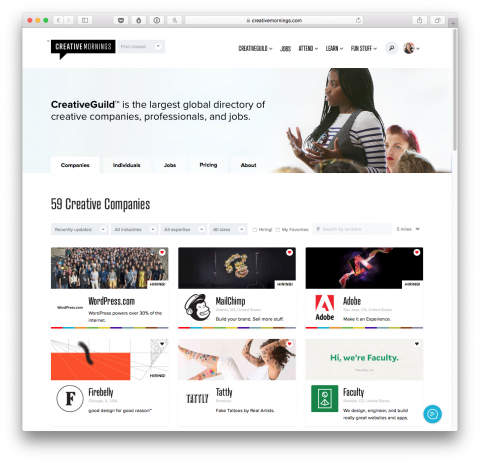
Click on this screenshot to view a selection of CreativeMornings talks I gathered in a Dropmark Collction

Watch Ben Chestnut’s CreativeMornings talk in this Dropmark fullscreen window.

One of my favorite features is audio and video playback. Anyone can mix together some video clips from YouTube and Vimeo (together at last!), or even uploaded your computer and you instantly have a video playlist. Hit play on the first video, put your browser in fullscreen mode, and Dropmark will play each video one by one.

Dropmark is a blank slate for your content in the cloud.

Dropmark is technically in beta until Mar. 1st, but they’ve created an invite code for swissmiss readers: Sign up here and use”swissmiss”. The invite code gets early access + 1 GB free storage if used before March 1st 2012.

EUScreen

The EUScreen site is an astounding digital archive aiming to preserve Europe’s television heritage, 1900-present.

(via @dwell)

Marks + Dinnerware

Here’s a useful post over on Apartment Therapy on how to get rid of those gray scratch marks on plates.

The Single Sentence Email Project

In my desperation of finding a solution to my guilt-inducing-email-problem I am considering The Single Sentence Email Project:

“Respond to emails with as few words as possible. Aim for a sentence, but if just a word will do, use it.* It will take practice, and some might dislike it. I argue that this is a fair trade for getting more time to work (and live) productively.”

But I of course fear that my short reply will come across as rude. What is better: Getting a brief reply or none at all? Maybe Five Sentences is a good middle ground.

sherpaa

Jay Parkinson and his team just launched Sherpaa, an around the clock email and phone access to friendly, NYC-based doctors (or Guides as they call them). Whenever you have a health question or concern, they’re here for you. And they play nicely with the insurance you’ve got.

For now, they’re focusing on working exclusively with tumblr employees but will soon be signing up other NYC-based companies. If you’re interested in joining Sherpaa, let them know. I am!

Jay gave an interesting CreativeMornings talk in 2010, in which he explains how he wants to change health care with help of technology and design. Worth watching.

Finding Duplicate Files

I saw my friend Chris Glass tweet about his project of finding duplicate files on his computer over the weekend. Being the queen of multiple backups and duplicates I reached out and asked for more info.

Here’s a LONG REPLY tweet he just sent my way. He compared 3 applications to tackle the issue: dupeGuru, Araxis Find Duplicates Files and TidyUp2.

He ended up liking dupeGuru the best. Here are his findings.

Liquid Conversion Chart

Thank you Erik Spiekermann, for creating this US Liquid Conversion Chart from US fluid ounces to milliliters.

An Automatic Diet Planner

Here’s an interesting site for people want to gain or loose weight: swole.me is an automated diet planter that creates meals according to your goal calorie intake and how many meals you’d like to eat per day. Completely free.

(Thank you Dave)

Lucky Ant

Brand new Lucky Ant is the Kickstarter for your community. Instead of funding short films and art projects, you help support improvements to your favorite neighborhood hot spots. Whether it’s sponsoring an outdoor patio for the cafe around the corner or even helping a local high school build a student-run restaurant, this is your chance to help build the community of your dreams.

Two thumbs up for this idea. Hoping they’ll add my Brooklyn neighborhood soon! Luckyant.com

(via TBD)

TinyLetter


Mailchimp’s latest app, TinyLetter, makes it ridiculously easy to start your own mailing list and email newsletter. It’s a matter of minutes and you’re set to go. Pick a username and boom, you have your sign-up-page ready.

Mailchmp is fantastic service for maintaining business newsletters, but has too many bells and whistles for an individual that just wants to maintain a simple mailing list and send text email newsletter. That’s exactly what TinyLetter does best.

As Ben Chestnut, CEO of Mailchimp puts it: “You could think of TinyLetter as a “MailChimp Lite.” A more directionally accurate analogy would be, “Gmail on steroids.”

Read more about TinyLetter in this blog post.

Interested? Give TinyLetter a try yourself or subscribe to mine at: tinyletter.com/swissmiss

Onepager

Onepager lets small business owners setup a simple website in minutes. The Onepager interface allows you to easily update and maintain your website on your own. No need for a developer.

Here are a few examples built with Onepager: Northport Golfclub and Landmark Diner.

Onepager Introductory Video from Simande LLC on Vimeo.

(via this great post over at The Next Web)

Dr.Brendan | The iphone Doc

In september of 2010 I discovered iPhone Doc Dr.Brendan. After a quick email exchange and a description of my ‘patient’ we met up in a hotel lobby in Manhattan. 20 minutes later my iphone looked like new. Impressed by his story I wrote a post about him, which apparently sent a lot of new customers his way. Yay! Well deserved!

I luckily didn’t need Dr.Brendan’s services since, until 2 weeks ago, when my husband dropped his new iPhone 4s in water. Outch! I emailed Dr.Brendan and an hour later, Tony, one of his employees was in our living-room, trying to ‘revive Siri’. But there was no heartbeat! He took “Siri” with him and a few days later, we got a call with good news: Siri was alive and kicking! YAY!

During the short visit at our apartment, I learned that Dr.Brendan since has moved his business out of his living-room and opened two stores. And not only that, he has a whole army employees and they now also fix Macs. I was thrilled to hear that as my 2.5 year old iMac at work was giving me a hard time. Tony, a Dr.Brendan employee, came to promptly pick it up the next day and conveniently brought it back a few days later, fixed. Pick-up and drop-off? Yes, please!

Dr.Brendan and his team not only fix iPhones but now also repair pretty much any Apple device, do data recovery, help you set up your network and much more.

I can’t praise Brendan and his team enough. Go check out his site. And if you live either in the East Village or Park Slope, drop by their shop. And no worries, if you don’t live in NYC, you can ship your patient to Dr.Brendan.

Yay for this wonderful entrepreneurial story.

Make Your Own Fabric

Did you know you can design and produce your own fabric? It’s affordable and there is no minimum order required! Spoonflower makes it possible.

(Thank you Jodi)

five.sentenc.es

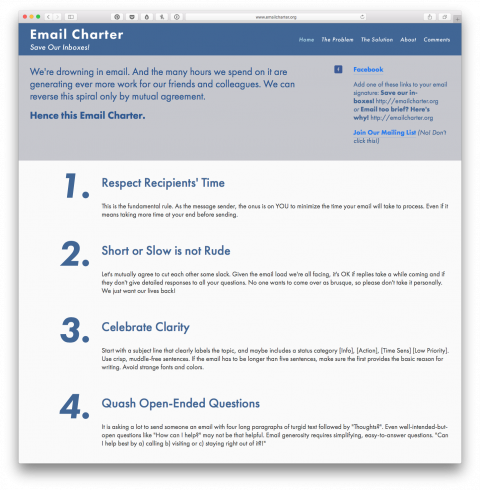
five.sentenc.es is a personal policy that all email responses regardless of recipient or subject will be five sentences or less. It’s that simple. Not new, I know, but good to remind ourselves of.

The Little Know-It-All

The Little Know-It-All Graphic is Common Sense in book form, for Designers. It covers a broad spectrum of questions that designers need to know the answers to, in order to thrive in their growing field of practice. Not currently available in the US but SOON according to the gestalten.com site. Browse the book.

tubalr


Tubalr allows you to effortlessly listen to a band’s or artist’s top YouTube videos without all the clutter YouTube brings. To get started just type a band’s or artist’s name into the search box and select only or similar. Oh, and if you’re interested in saving your favorite videos, register an account.

(via unplggd)

UI Toolkit

Hey User Interface Designers, this UI Toolkit looks like a handy resource.

(Via @cameronmoll)

Scriptogr.am

Scriptogr.am is a free, new blogging tool that transforms your Dropbox into a minimalistic, beautiful blog. Hat tip to the creator Andreas Pihlström!

Check out their blog for more info.

Lighting Techniques for Video Interviews

Now that was interesting! A video tutorial teaching you Lighting Techniques for Video Interviews.

(via Cameron Moll)

Authentic Jobs 50% Off

Authentic Jobs, the fantastic Jobs Listings Network I am a proud member of is running their annual New Year’s Promotion, which means you get 50% off any job listing. Take advantage of it until january 12th by using promo code TWELVESWISS.

AuthenticJobs.com

unroll.me

I have been spending most of my morning unsubscribing my blog submission email account from newsletters that I never signed up to in the first place. It’s simply unacceptable how companies put my submission email on their mailing list without my permission. As I was tweeting about my frustration my friend Amrit Richmond pointed me to Unroll.me:

Unroll.Me is an email unsubscribe engine that crawls through your inbox and pulls up a list of your subscriptions allowing you to choose which one to keep and which ones to unsubscribe from. After you press unsubscribe, they will take care of the rest.

Might as well give unroll.me a try! (Even though I admit, I am a bit nervous about giving out my email login information)

UPDATE: Doesn’t work on Google App hosted email accounts (yet). Bummed.

Pixel Perfect Vector Nudging

When nudging vector points, Photoshop exhibits some strange behaviour, linked to how far you’re currently zoomed in. At 100%, nudging using the arrow keys will move your vector point exactly 1 pixel. At 200%, nudging moves the point half a pixel. At 300%, it’ll move a third of a pixel.

Fantastic post on Pixel Perfect Vector Nudging in Photoshop.

(via @khoi)

GAget

I am seriously excited to have discovered GAget, a beautifully designed Google Analytics widget.

(Thanks Jonnie)

Authentic Jobs iPhone App


Wow, Cameron Moll did an awesome job with the launch of his Authentic Jobs iPhone App. The app puts all of the Authentic Jobs listings (which range from design, creative, to technical jobs) within touch. It’s free of charge. More here.